Work / Interactive Learning · Algorithms · Visualization
Algorithm Museum
I wanted an algorithm museum you could get your hands on: change an array, draw a wall, adjust a time slice, then pause and see how each decision changes the result.
- Product design & frontend engineering
- Live preview · In development
- React / TypeScript / Web Workers
- No. 05
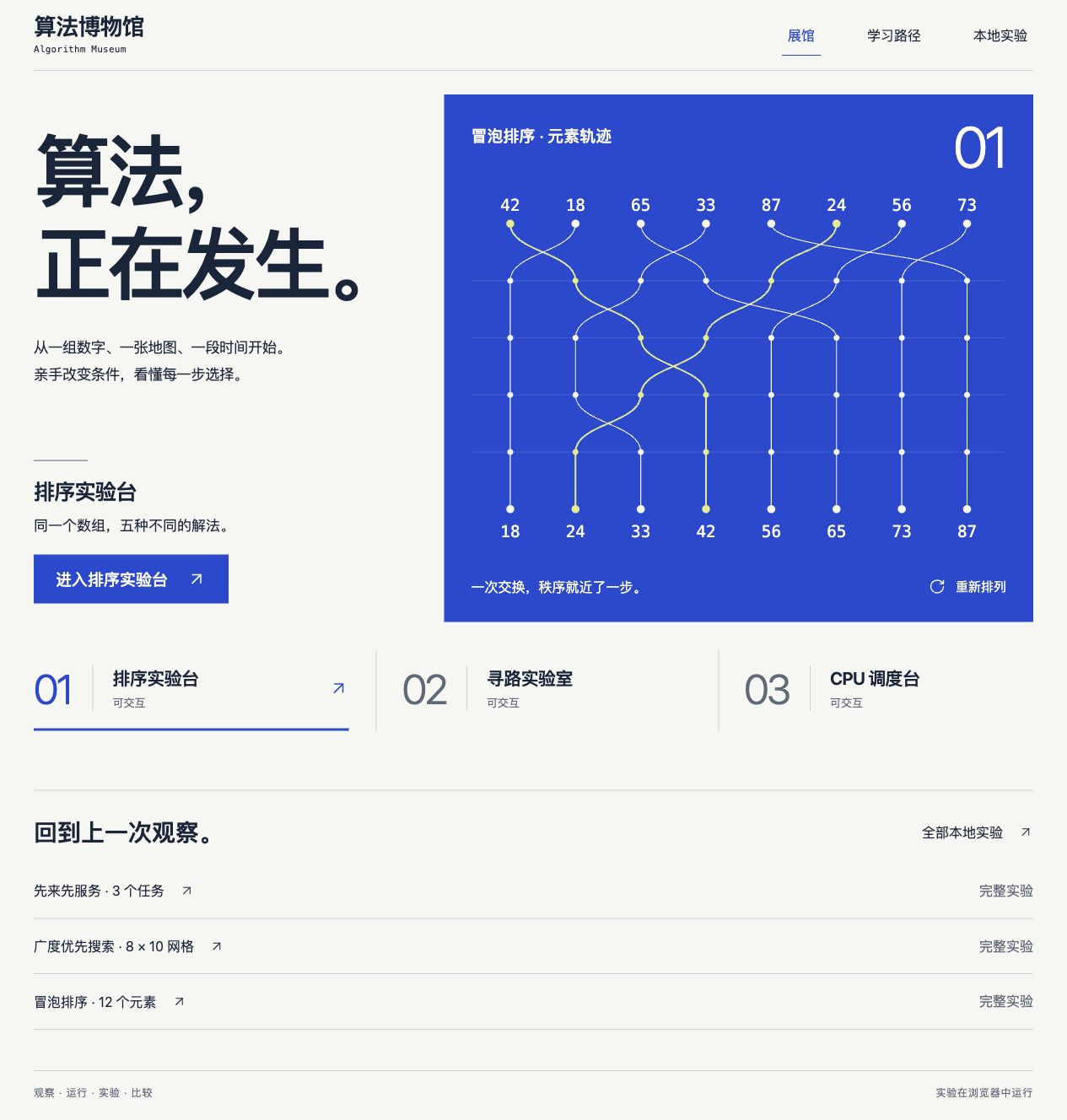
Understanding through experimentation
These screenshots show actual runs using the site's built-in examples. The application currently uses a Chinese interface. Click an image to view it at full size.
When learning algorithms, reading pseudocode and explaining a particular decision can still feel like two different skills. I wanted an interface that connects them: predict an outcome, change a condition, then follow the execution to check your reasoning. Sorting, pathfinding and CPU scheduling give us three different things to observe: the order of numbers, a route across a map, and the time shared by tasks.
All three exhibits have the same four entry points: Learn, Run, Experiment and Compare. You can start with an explanation or go straight to the workbench. Pseudocode and the current step sit beside the visualization, with data and metrics below. Pause anywhere and you can connect the visible change to the operation behind it.
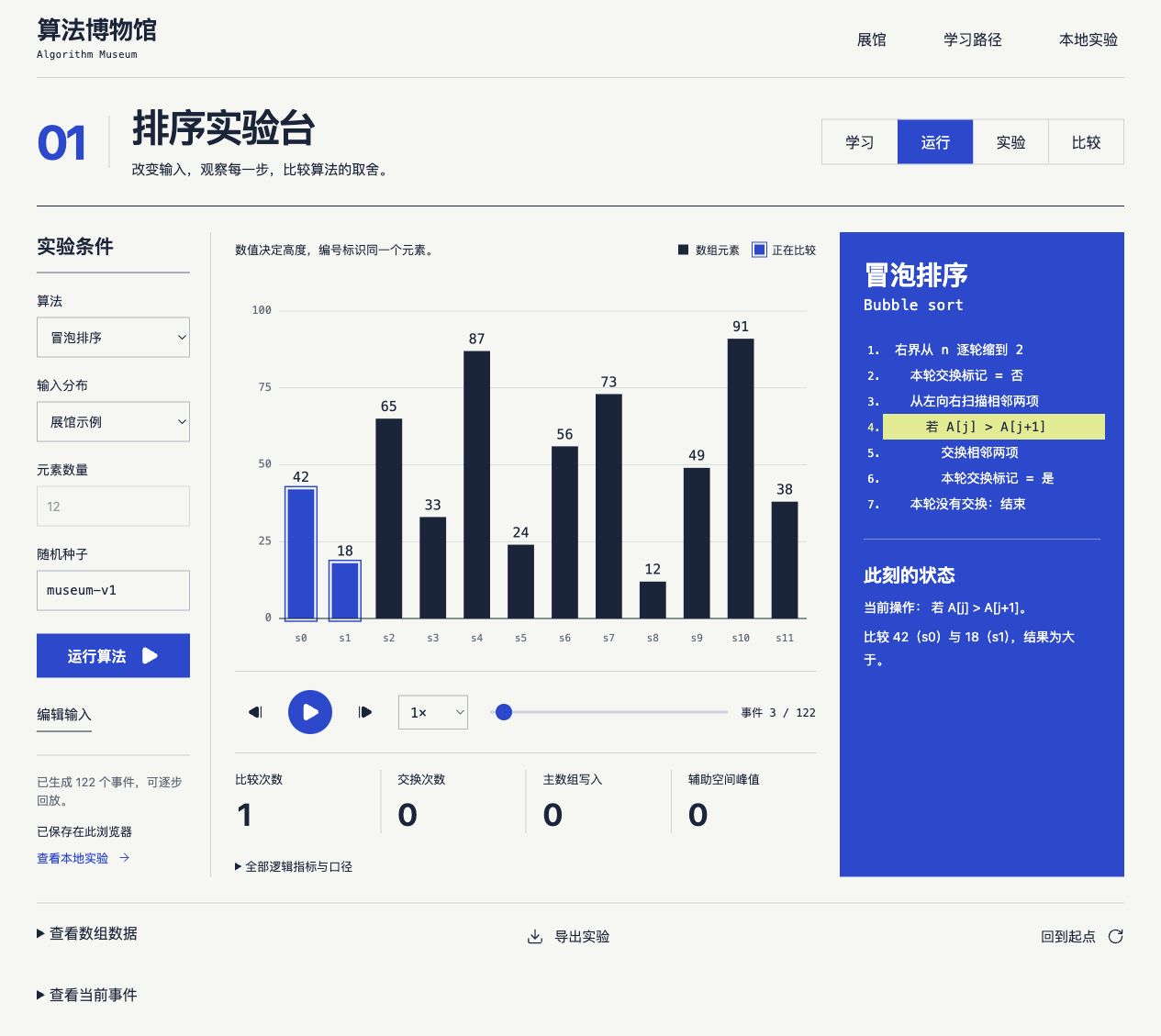
Follow an element, not just a bar
The sorting workbench includes bubble, insertion, merge, quick and heap sort. Each element keeps its own ID, so even equal values remain distinguishable. Stability becomes something you can inspect: try 2, 1, 2, 1 and follow the equal elements through each step. Their changing positions give the definition something concrete to refer to.
Load sorted, reversed or duplicate-heavy arrays, or enter your own. Compare two or three algorithms on the same input and inspect comparisons, writes and modeled auxiliary space. Quick sort uses a fixed last-element pivot; I keep that choice explicit so its behavior on a particular input can be understood in context.
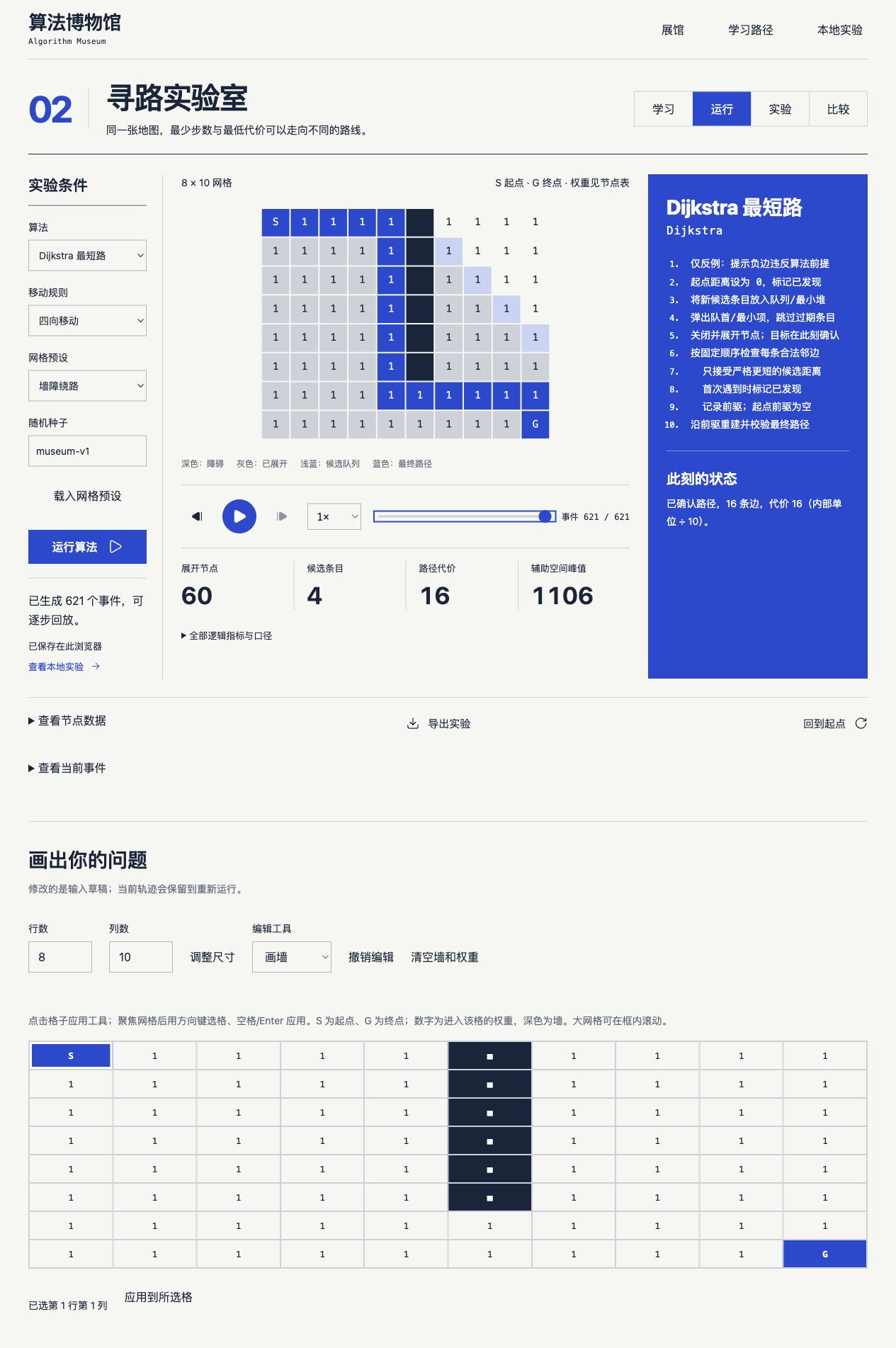
Fewer steps can cost more
In the pathfinding lab, you can draw walls, change cell weights and move the start and goal, then watch BFS, Dijkstra and A* explore. Give a shortcut a higher cost and the fewest steps may no longer produce the cheapest route. I want people to create that difference themselves and then revisit the conditions each algorithm relies on.
Ordinary BFS explains why it cannot run when the map does not have uniform edge costs. A separate negative-edge teaching example explicitly breaks Dijkstra's assumptions. The visualization shows exploration while the node table retains distances and predecessors. If there is no route, you can distinguish an unreachable goal from an input that the chosen algorithm cannot handle.
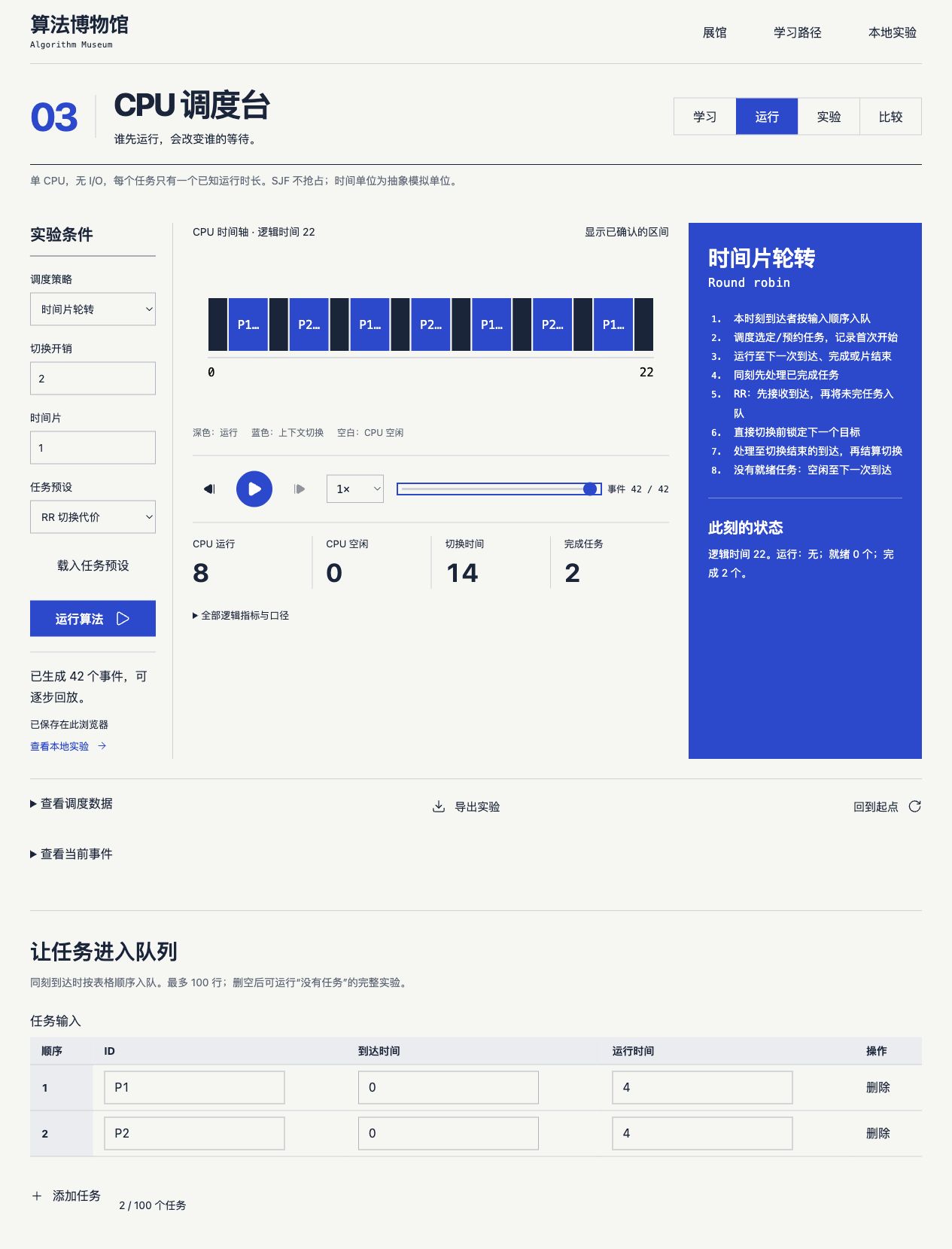
Who runs first, and who waits?
The CPU scheduler puts FCFS, SJF and round robin on the same timeline. Enter task arrival times and durations, then adjust the time slice and switching overhead to see how execution, waiting and idle time are distributed. What happens when a long task arrives first? How much switching overhead does a shorter time slice introduce? These are questions you can test directly.
The teaching model uses one CPU, no I/O and known task durations; SJF is non-preemptive. The ready queue and task data accompany the timeline, with response, waiting and turnaround times in the final results. I keep these simplifying assumptions visible so the conclusions stay tied to the model being explored.
Keep the run, not just the result
I separated computation, recording and playback. Algorithms execute in a Web Worker and produce events such as comparisons, swaps, node expansions and task switches. The interface reads those events to reconstruct state. Playback speed changes only the viewing pace; stepping back visits history, while running again with edited inputs creates a new experiment.
- 01 / COMPUTE
Fix the conditions
Record the input, seed, algorithm version and parameters before passing the work to a Worker.
- 02 / REPLAY
Reconstruct from events
Visuals, data tables, metrics and pseudocode all use the same execution record.
- 03 / KEEP
Reopen an experiment
Runs, comparisons and measurements live in IndexedDB and can be exported as backup files.
The interface uses React, TypeScript and Canvas 2D, with separate packages for the protocol, runtime, storage and each exhibit. I also distinguish operation counts from elapsed time on a particular device. Counts come from the execution record; timing comes from a separate series of repeated measurements. Those measurements include algorithm execution and event generation. Results below the timer's resolution are marked unreliable, and animation speed never serves as a performance ranking.
Start by changing one condition
All three exhibits are available in the browser without registration. On a first visit, I suggest choosing a familiar algorithm, running the default example and changing just one condition. Keep the original record and compare it with the new result. The difference is often easier to remember than another pass through the explanation.
Experiments stay in the current browser. Moving them to another device requires file export and import; accounts and cloud sync are not available yet. Full offline support is also planned, so the current version needs a connection to open. Next, I want to improve the counterexamples, teaching explanations and mobile controls so each experiment leaves you with a finding you can explain.